AgroPilot Sales
Order processing, automated end to end.
From the customer's message to an order ready in your ERP: AgroPilot understands, checks and prepares. Your team supervises, approves exceptions and focuses on customers.
Channels
Your customers order the way they like.
AgroPilot picks up orders where they already arrive, without changing your customers' habits.
Email
Free text, lists, tables and attachments.
WhatsApp
Short, unpunctuated messages sent at any hour.
PDF and scans
Purchase orders in any layout.
Phone
Phone orders logged into the same flow.
Portal and API
For customers who already send orders online.
Understanding
Every line interpreted, every choice explained.
The customer's exact words sit next to their interpretation: customer identified, product matched, quantity and unit, with a confidence level. The catalogue understands your customers' own names for products and learns from your approvals.
- Customer identified by address, number or signature
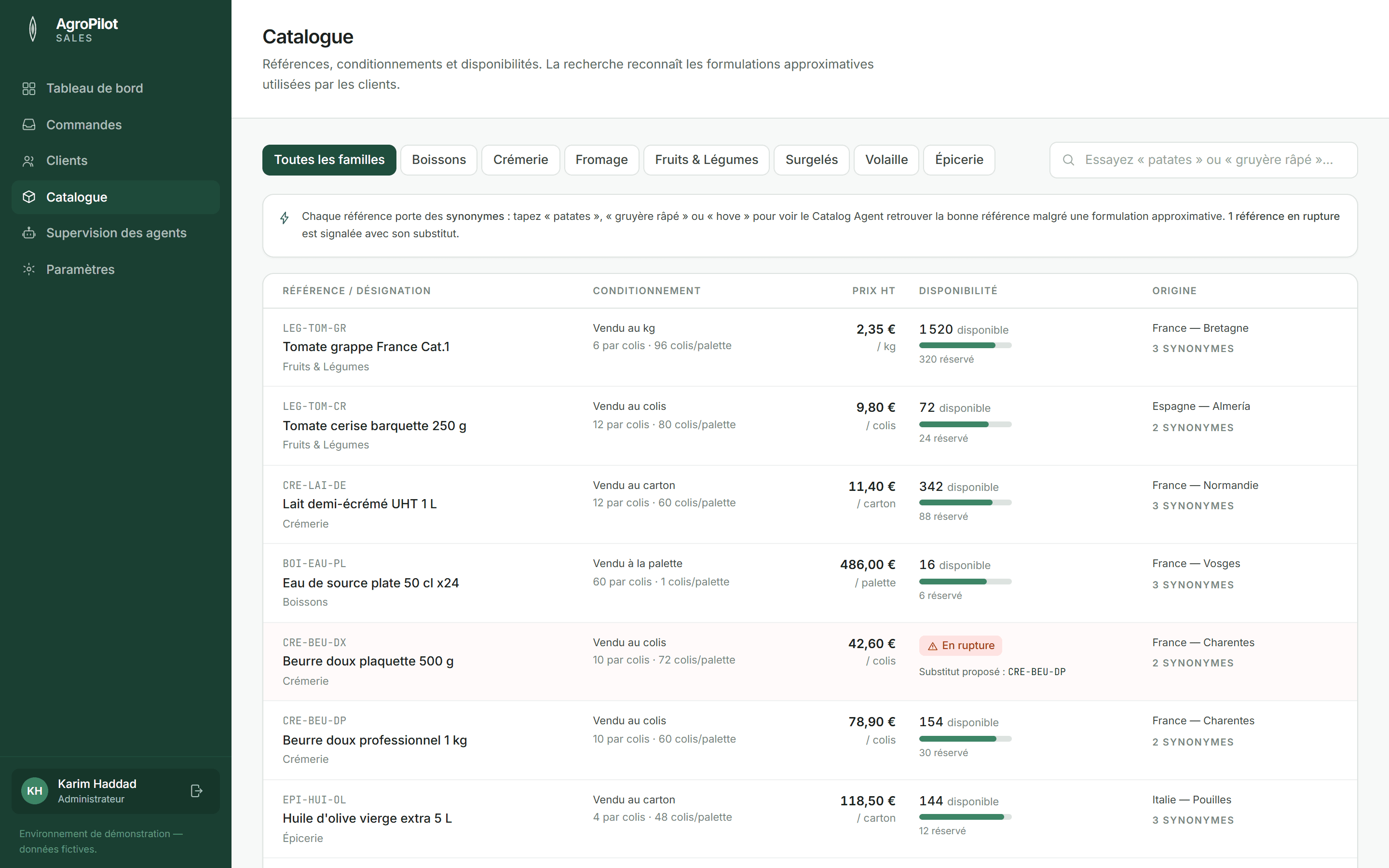
- Catalogue matching, synonyms included
- Confidence level shown for every line
Checks
Issues caught before picking.
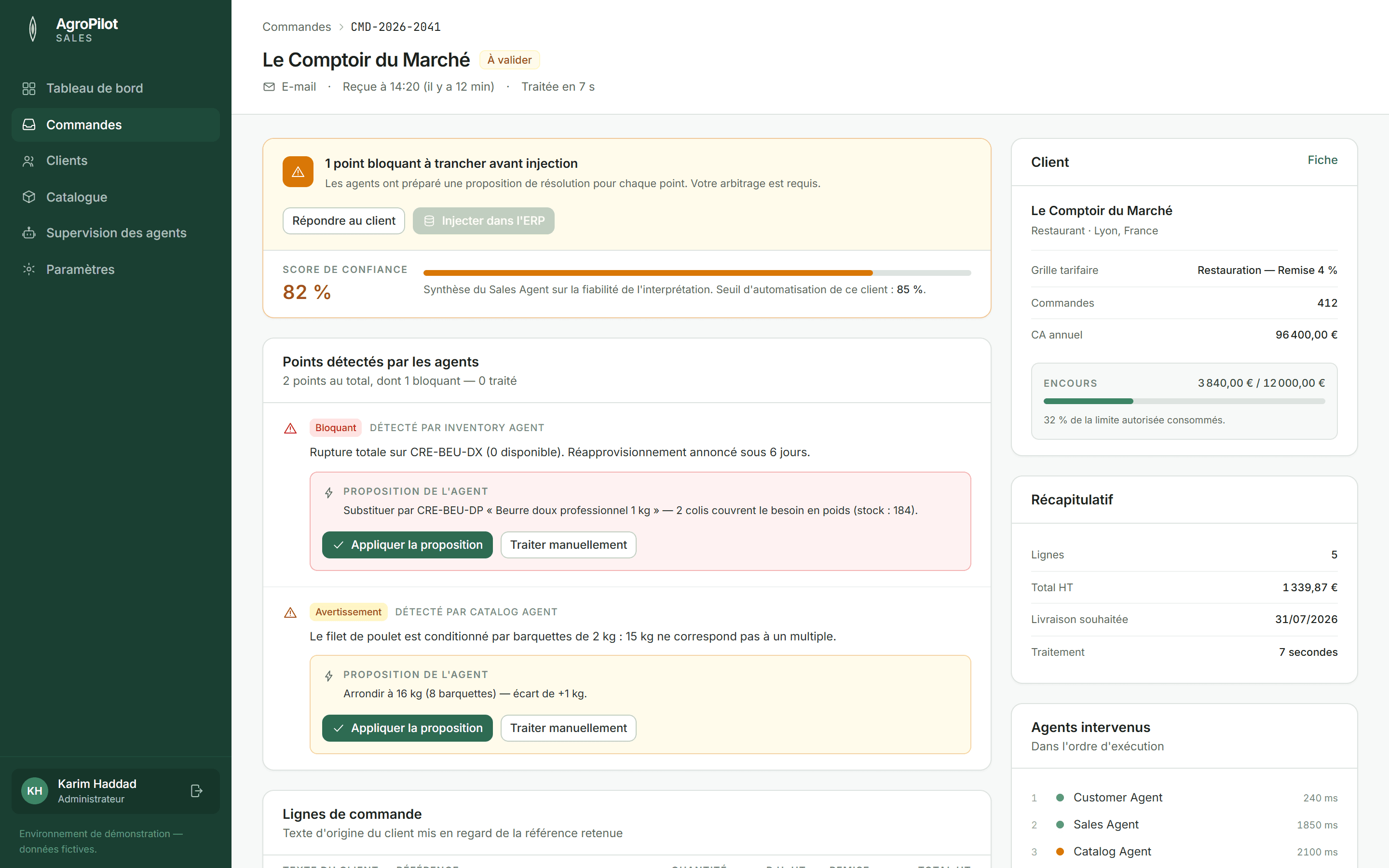
Out of stock, wrong pack size, credit limit exceeded, price outside agreed terms: AgroPilot flags every discrepancy and proposes a fix. Nothing is substituted without your approval.
- Stock, case sizes and packaging
- Customer prices and commercial terms
- Credit limits and per-customer automation thresholds
Supervision
A control room to see and understand everything.
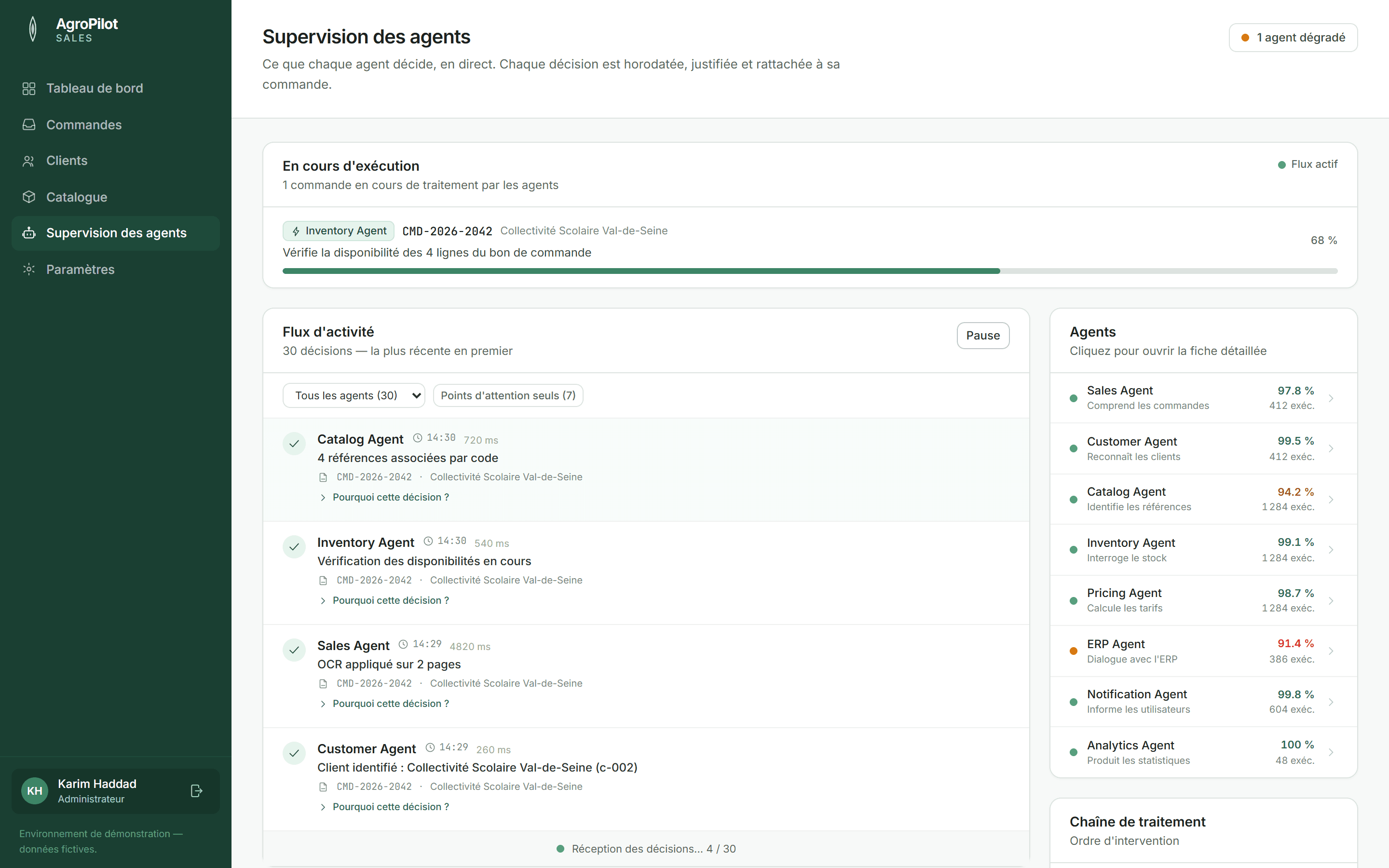
What's running live, every agent's decisions with their reasoning, rules, sources and limits. You always know why an order was handled the way it was.
- Time-stamped log of every decision
- A profile for each agent: mission, rules, limits
- Role-based access: sales, sales admin, administrator, management
Integration
Built to sit on top of your ERP, not to replace it.
AgroPilot pushes approved orders into your ERP through a connector. Your management system remains the reference for products, customers, stock and invoicing. Deployment takes weeks.
- 01
Scoping
Review of your order flows, catalogue and business rules.
- 02
Connection
Hooking up your order channels and your ERP.
- 03
Ramp-up
Start with full review, then automate step by step.
Frequently asked questions
Do we need to change our ERP?
No. AgroPilot sits on top of your existing ERP and drops ready orders into it. Your ERP stays the reference.
How long does deployment take?
A few weeks: scoping, connecting channels and ERP, then a gradual ramp-up with your team.
What happens when the AI isn't sure?
The order goes to review. You set automation thresholds customer by customer; uncertain cases are never decided silently.
Do our customers have to change how they order?
No. AgroPilot handles orders as they arrive today: email, WhatsApp, phone, PDF, portal.
Who sees what in the application?
Each user has a role — sales, sales administration, administrator, management — that determines the screens and actions available to them.
Let's see what AgroPilot would do with your orders.
A presentation built on your own orders — or the open demo, right now.